


01
Choose the source
Start with the conversations, feedback or documents the workflow should use.

Workflows
Event-driven automation that responds to call processing and signal extraction. Use AI-powered conditions and webhook-based actions to route data wherever you need it.
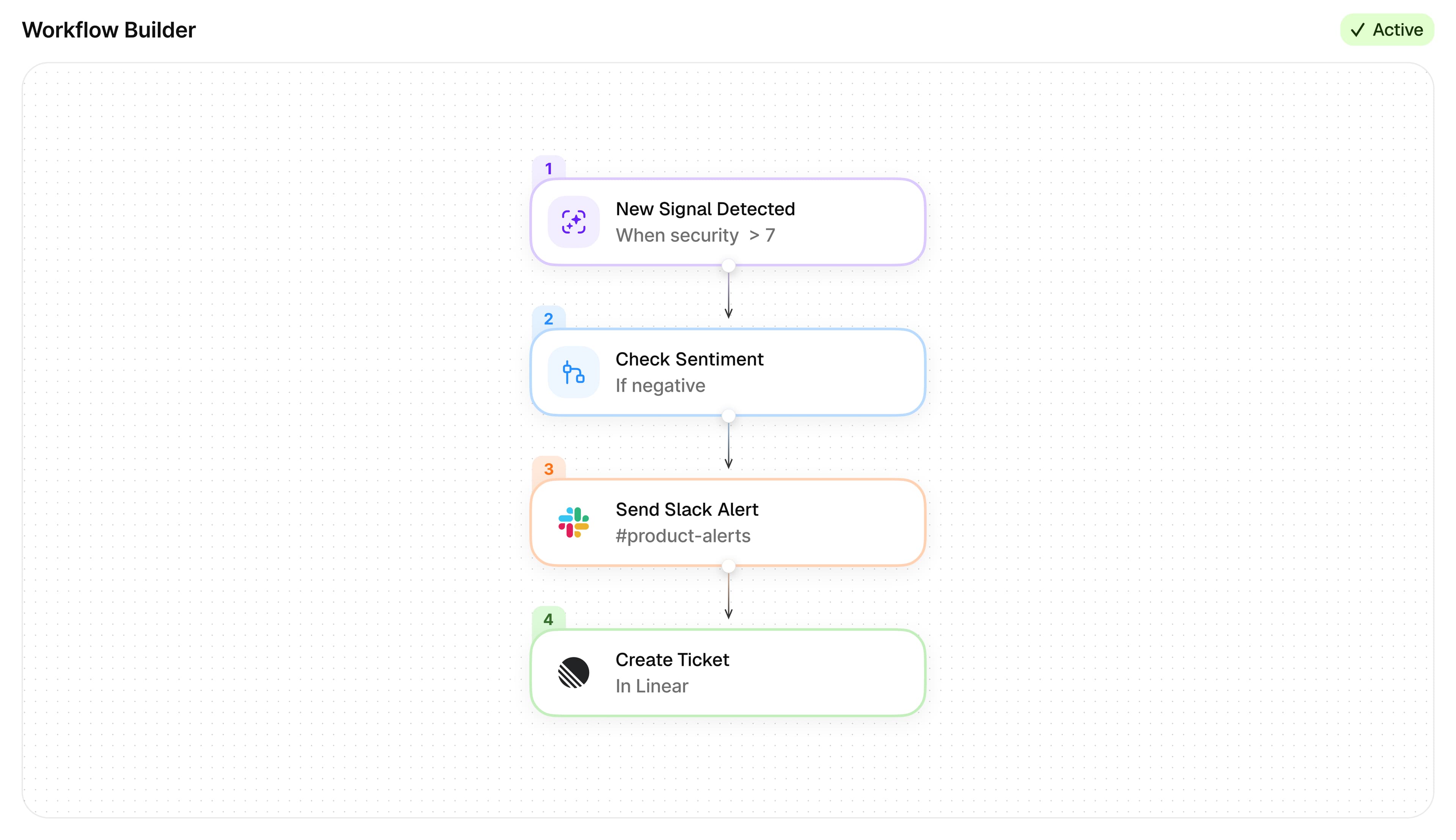
Build event-driven workflows that trigger on new calls, signals, or folder items.
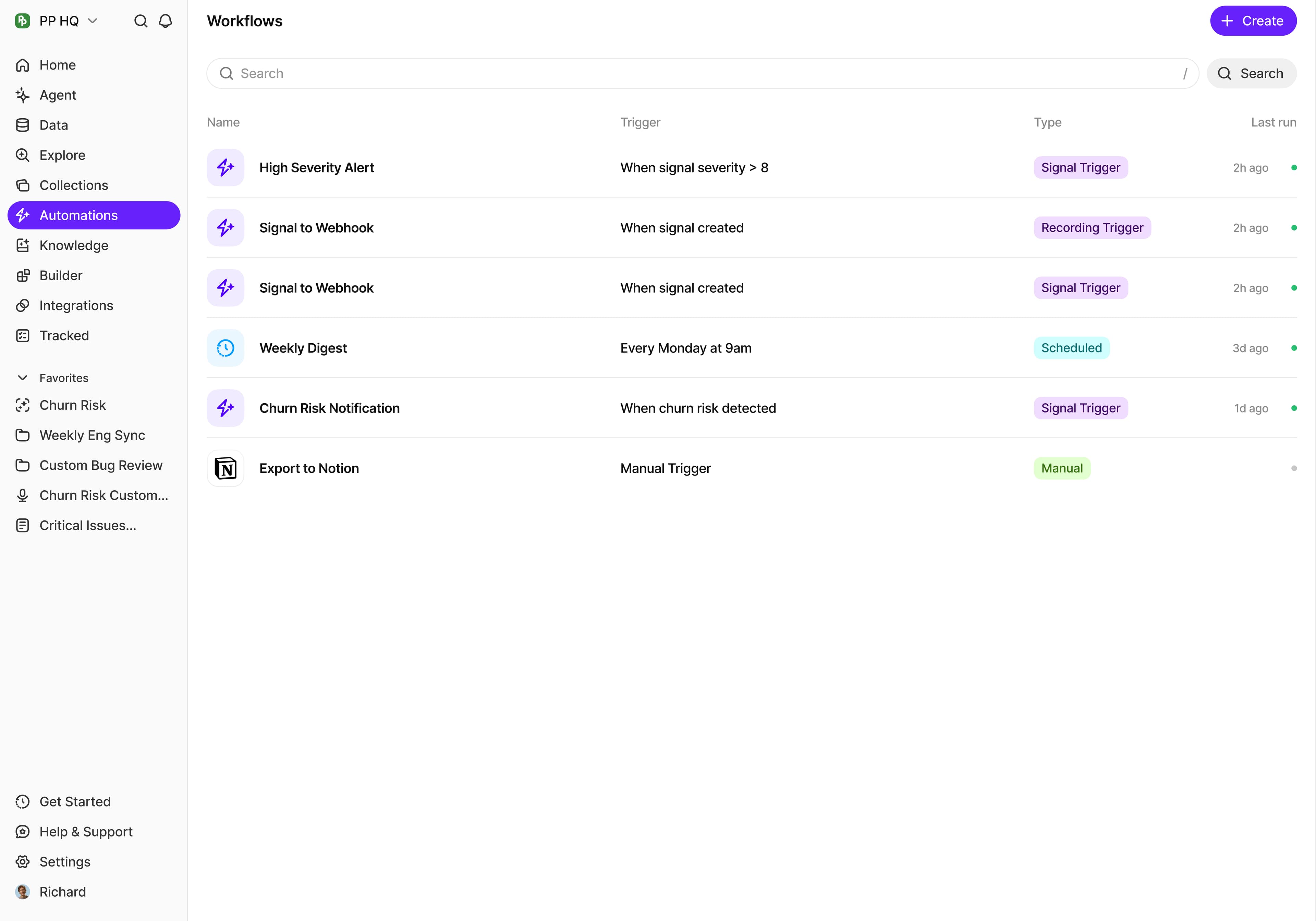

AI-Powered Conditions
Use natural language to filter which recordings or signals trigger your workflow.
Auto-Tag
Automatically tag recordings that match your criteria.
Auto-Folder
Route recordings to folders by title pattern or AI-powered conditions.
Send to Webhook
Send summaries, transcripts, signals, or AI answers to any webhook in JSON, plain text, or Markdown.
Answer Questions
Ask AI questions about your data and send the answers to a webhook automatically.
9 Built-in Templates
Pre-built templates for common workflows - recording to folder, summary to webhook, signal to webhook, and more.
Data Types
From calls to CSVs, BuildBetter handles it all.

Calls
Generate uncannily accurate summaries of dialogues

Tickets
Process all your customer support tickets

Surveys
Integrate or upload survey data from your favorite platform

Emails
Forward support or team emails for processing and get insights

Messages
Save customer and team messages from Slack

CSV
Upload thousands of rows of knowledge and get knowledge
Output
Workflows can output to any of these formats and more.
Slack
Deliver workflow outputs to your team's channels
MCP
Connect workflows to 21 MCP tools across Claude, Cursor, and ChatGPT
Customer evidence

“BuildBetter is becoming our go-to tool for strategic planning.”
Connect your data, analysis and output in a workflow your team can reuse.
01
Start with the conversations, feedback or documents the workflow should use.
02
Specify the analysis and context needed for a useful result.
03
Generate the document or report, and connect it to the people who need to act.