

BuildBetter MCP
Access your BuildBetter data directly from Claude, ChatGPT, Cursor, and other AI assistants. Just connect and sign in with your BuildBetter account. No API keys or local setup required.
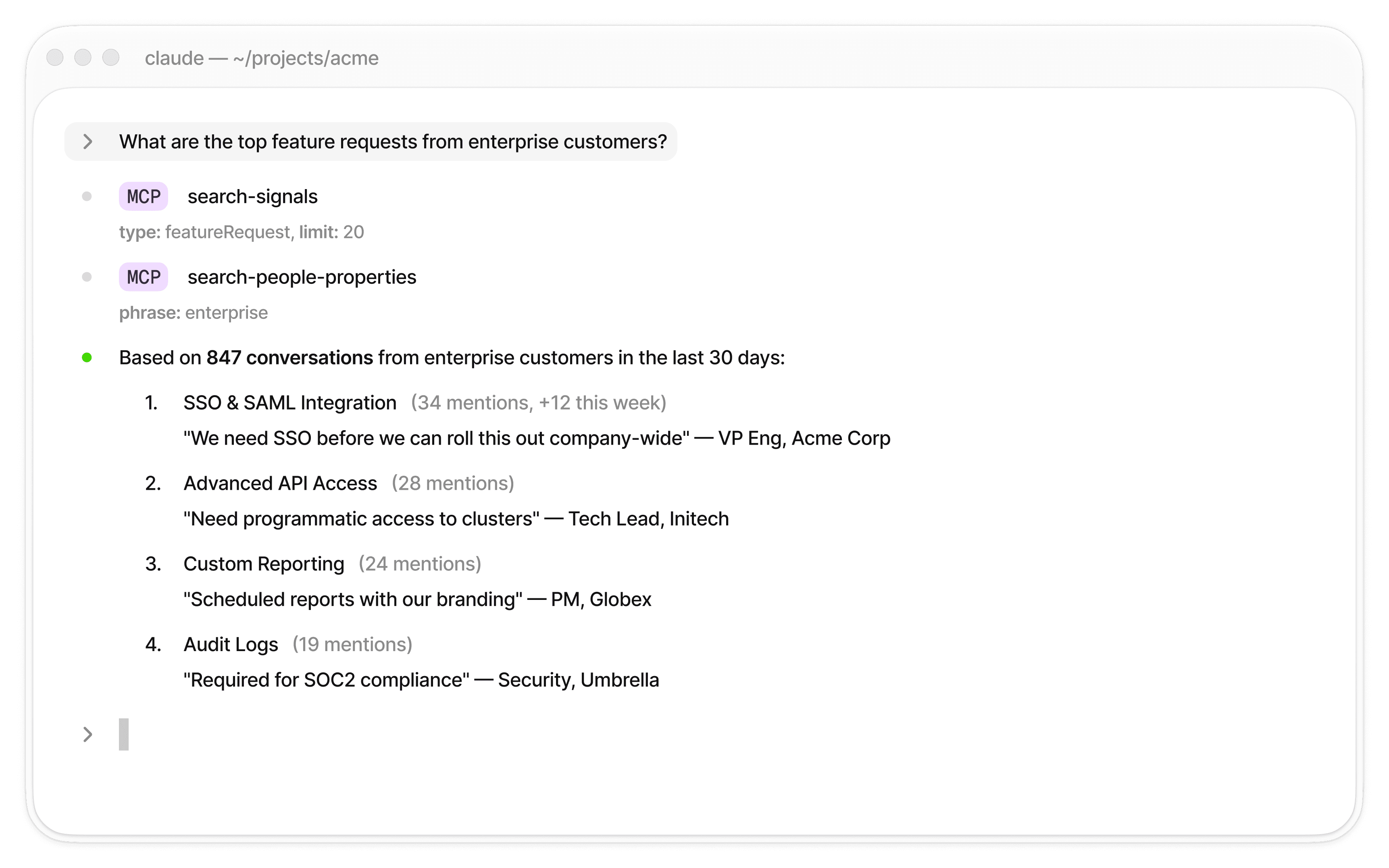
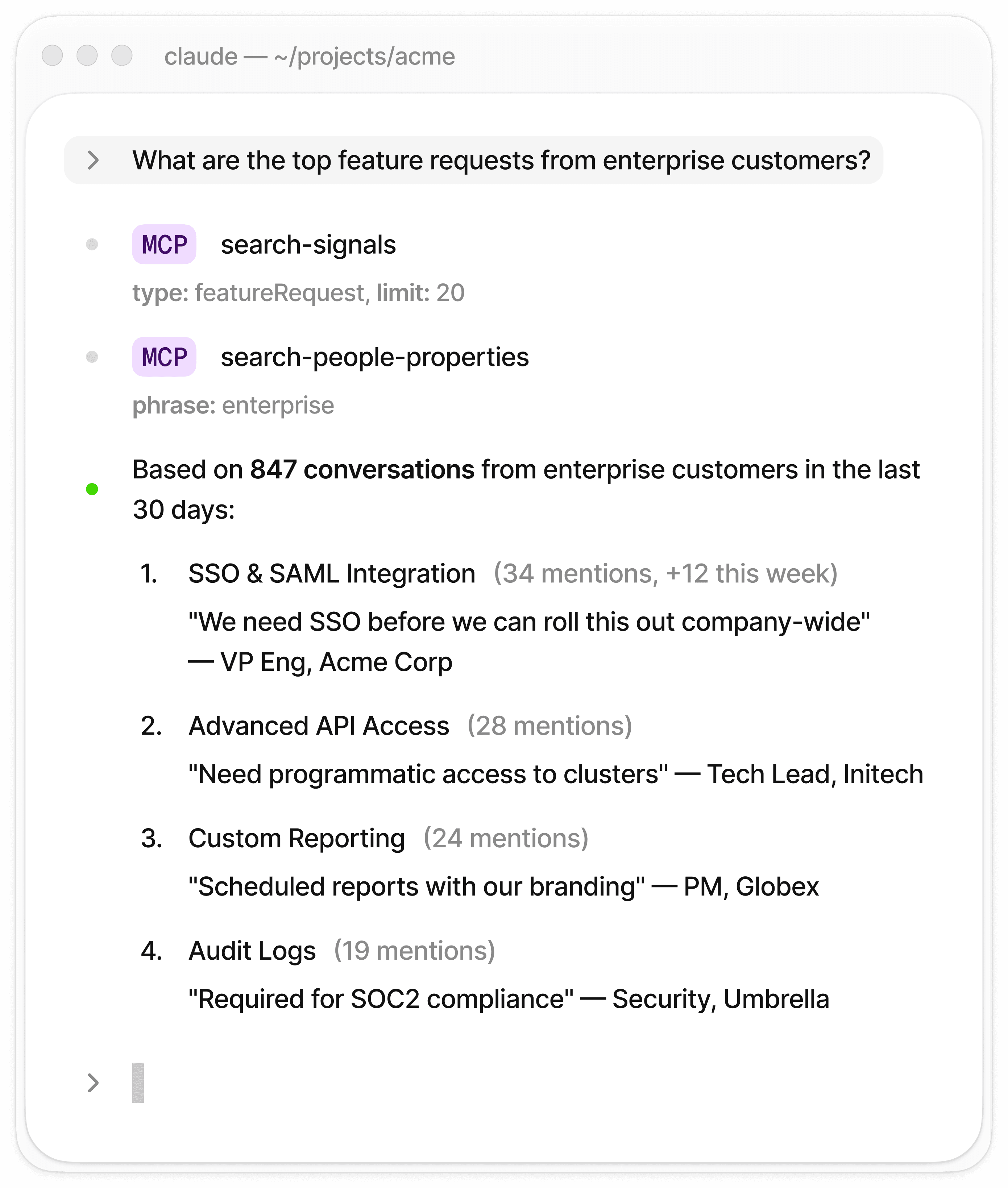

Claude Code with BuildBetter MCP — real customer intelligence in your terminal
What is MCP?
Model Context Protocol (MCP) is an open standard for giving AI models access to external data. BuildBetter’s MCP server lets your AI assistants securely access your calls, customer signals, contacts, companies, documents, and knowledge base—all through a simple OAuth sign-in.

Read-Only
Your data can never be modified through the MCP server. Safe by design.

No Local Setup
Nothing to install. Just add a URL and sign in with your BuildBetter account.

21 Tools
Search calls, signals, people, companies, documents, knowledge base, and raw GraphQL.

Live Data
Always reflects your latest BuildBetter data. No stale caches.
Quick Start
Add the server URL to your AI client, sign in with your BuildBetter account, and start asking questions. That's it.
MCP Server URL
https://mcp.buildbetter.app

Claude Desktop
Settings > Connectors > Add Custom Connector

Claude Code
claude mcp add buildbetter --transport http https://mcp.buildbetter.app

Cursor
Cursor Settings > MCP > Add new MCP server (Type: HTTP)

ChatGPT
MCP server settings > Add server URL
197 Tools
Everything you need to explore your customer data, from simple searches to advanced GraphQL queries.
Calls & Meetings
Search recordings, prep upcoming meetings, and pull speaker-attributed transcripts.
Signals & Feedback
AI-extracted issues, requests, praise, sentiment and severity — with aggregation and schema discovery.
People & Companies
Look up contacts and accounts with CRM enrichment and company associations.
Documents & Knowledge
Search generated documents, imported files, folders, and internal knowledge pages.
Knowledge Gaps
Check shipped releases against your documentation, then review and queue findings.
AI Surveys
Create, target, brand, schedule and send surveys, then read responses and AI follow-ups.
Synthetic Personas
Generate personas and companies, run panels and tests, and chat with them.
Customer Portal
Manage public feedback boards, posts, voters, and published changelog entries.
Smart Tags & Taxonomy
Draft, evaluate, publish, backfill and replay smart-tag rules and tag groups.
Skillsets
Browse the organization skill catalog and propose updates to it.
Triage & Projects
Work the triage queue and promote items into projects.
Tickets & Linear
Review, link, and promote Linear tickets alongside BuildBetter work.
Agent Sessions
Upload, search, claim, and associate agent sessions with accounts.
Customer Success
Inspect and act on Success surfaces: health, renewals, and follow-ups.
Sales
Deals, stakeholders, tasks, and account history for pipeline work.
Releases
Sync shipped releases from GitHub, RSS, and changelog sources.
Query & Schema
Run structured queries and discover the available types and fields.
Jobs
Check on and cancel long-running background jobs.
GraphQL
Run custom queries against the full BuildBetter data model for advanced use cases.
Use Cases by Team

Customer Success

“Show me all critical issues from Enterprise customers this week”
“Summarize all conversations with Acme Corp”
“Which customers expressed frustration in recent calls?”

Product Management
“List all feature requests from the last month, grouped by theme”
“Find all feedback about our onboarding process”
“Show mentions of competitors in customer calls”

Engineering
“Find all technical issues mentioned by customers this week”
“Search for problems users are having with our API”
“List all mentions of slow performance or timeouts”

Leadership
“Summarize the top 5 themes from customer conversations this quarter”
“What new use cases are customers asking about?”
“How has overall customer sentiment changed over the last 30 days?”
Security

Read-Only Access. No one can modify, delete, or create data through the MCP connection.

OAuth Authentication. Sign in with your BuildBetter account. No API keys to manage, rotate, or risk leaking.

Organization-Scoped. Access is limited to your organization’s data. All connections use HTTPS encryption.
Ready to connect?
Add the server URL to your AI client and sign in. Takes 2 minutes.
https://mcp.buildbetter.app


What's next
Skills & Skillsets
Publish your team's working knowledge and let any agent read it over MCP
BB Agent
The same answers inside BuildBetter, without wiring up a client