

One skill catalog.
Every agent on your team.
Your best working knowledge shouldn't live in one engineer's repo. Publish it once as skills, and anyone's AI agent can read the current version through MCP — no cloning, no CLI, no internal file paths.


Start with ours. Add your own. Or both.
BuildBetter ships skill packs you can install today. Your team's own skills live in the same catalog — and every agent reads across both.
Start with ours
Install BB-Skills for coding, or Product OS for product work — 45 skills across discovery, strategy, delivery and operations. Both free and open source, both richer when BuildBetter supplies the customer evidence.
Bring your own
Write your team's skills in Markdown and publish them once. Deploy runbooks, pricing guardrails, review standards, incident process — the judgment that usually lives in one person's head.
Search across everything
Three read-only MCP tools let any authenticated agent list your skillsets, search skills, and pull the full text — yours and ours, in one place, always the current revision.
- /bb-specifyBuildBetterSpec workflow
Pulls real customer quotes and pain points into the spec before you write it.
- /trust-but-verifyBuildBetterTesting
Opens a real browser, walks the feature like a user, and reports what breaks.
- /bb-reviewBuildBetterSpec workflow
Reviews the change against what customers actually asked for, not just whether it compiles.
- /define-ideal-customer-profileBuildBetterStrategy
Defines who the product is for, grounded in the accounts that actually succeed.
- /analyze-retention-and-adoptionBuildBetterOperate
Reads adoption and retention together to find where value stops landing.
- /deploy-runbookYoursRunbooks
How we ship to production, who approves a Friday deploy, and how we roll back.
- /pricing-guardrailsYoursGo-to-market
Discount limits by segment, approval thresholds, and the terms we never concede.
- /incident-responseYoursRunbooks
Severity levels, who gets paged, and what we tell customers in the first hour.
Agents search one catalog. Whether a skill came from BuildBetter or from your team is a label, not a silo.
Knowledge that travels
Written once, readable by every agent, governed like it matters.
An organization-wide catalog
Group skills into sets, write them in Markdown, and control the order agents read them in. Foundational skills first, the ones that build on them after.
Distributed through MCP
Three read-only tools let any authenticated agent list your skillsets, search skills, and pull full content. Claude, ChatGPT, Cursor — BuildBetter serves the text, the client decides what to do with it.
Access you control
Open a set to the whole organization, or restrict it and grant read or write to specific users and groups. Reads are always scoped to your organization and never leak across it.
Changes get reviewed
Agents propose updates as diffs against a specific revision instead of quietly rewriting shared instructions. You accept, reject, or let it go stale when the skill moves on beneath it.
Two open-source libraries to start from
Both are free, vendor-neutral, and readable by any agent. Install what fits, ignore the rest, and add your own alongside them.
BB-Skills
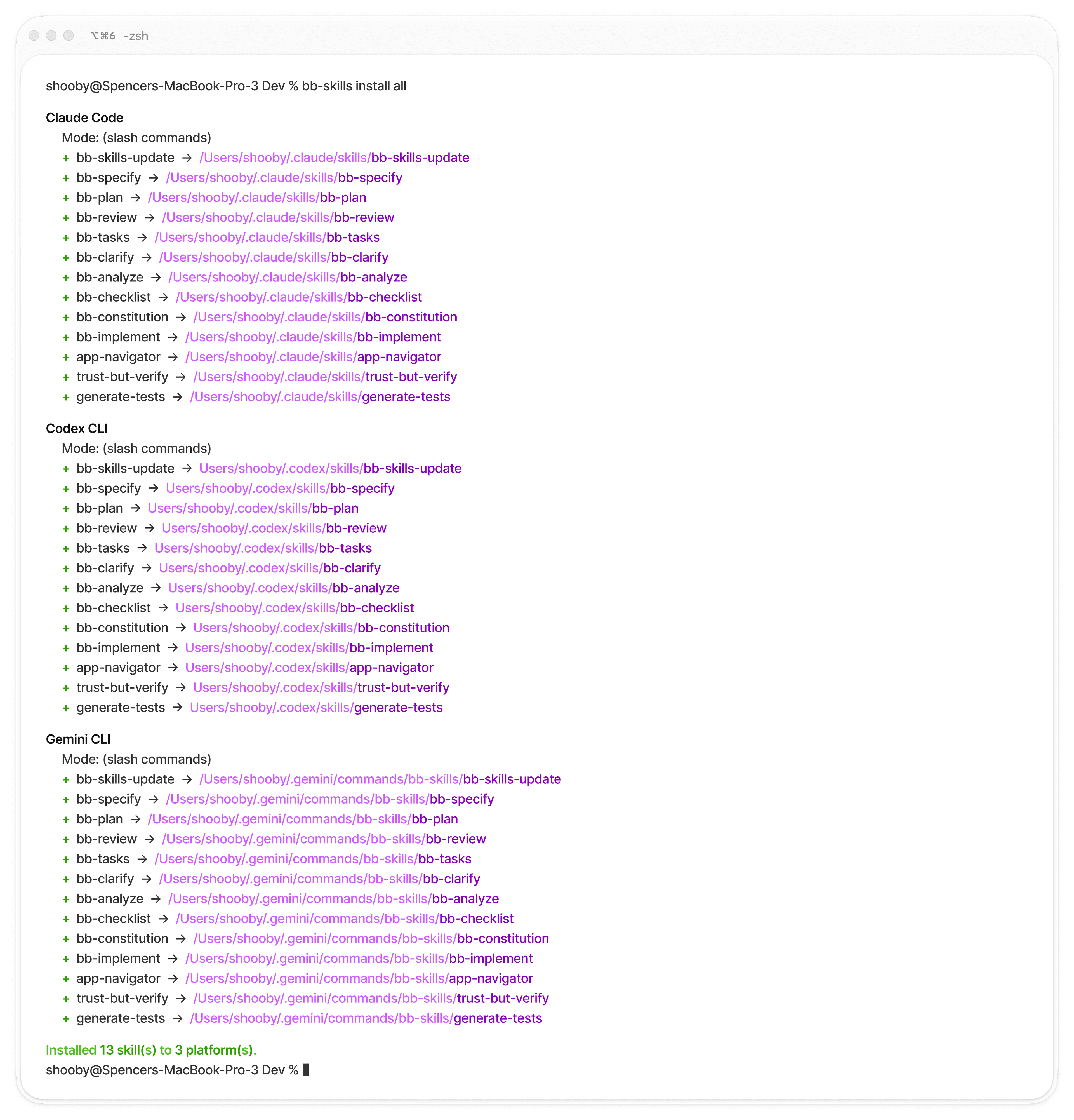
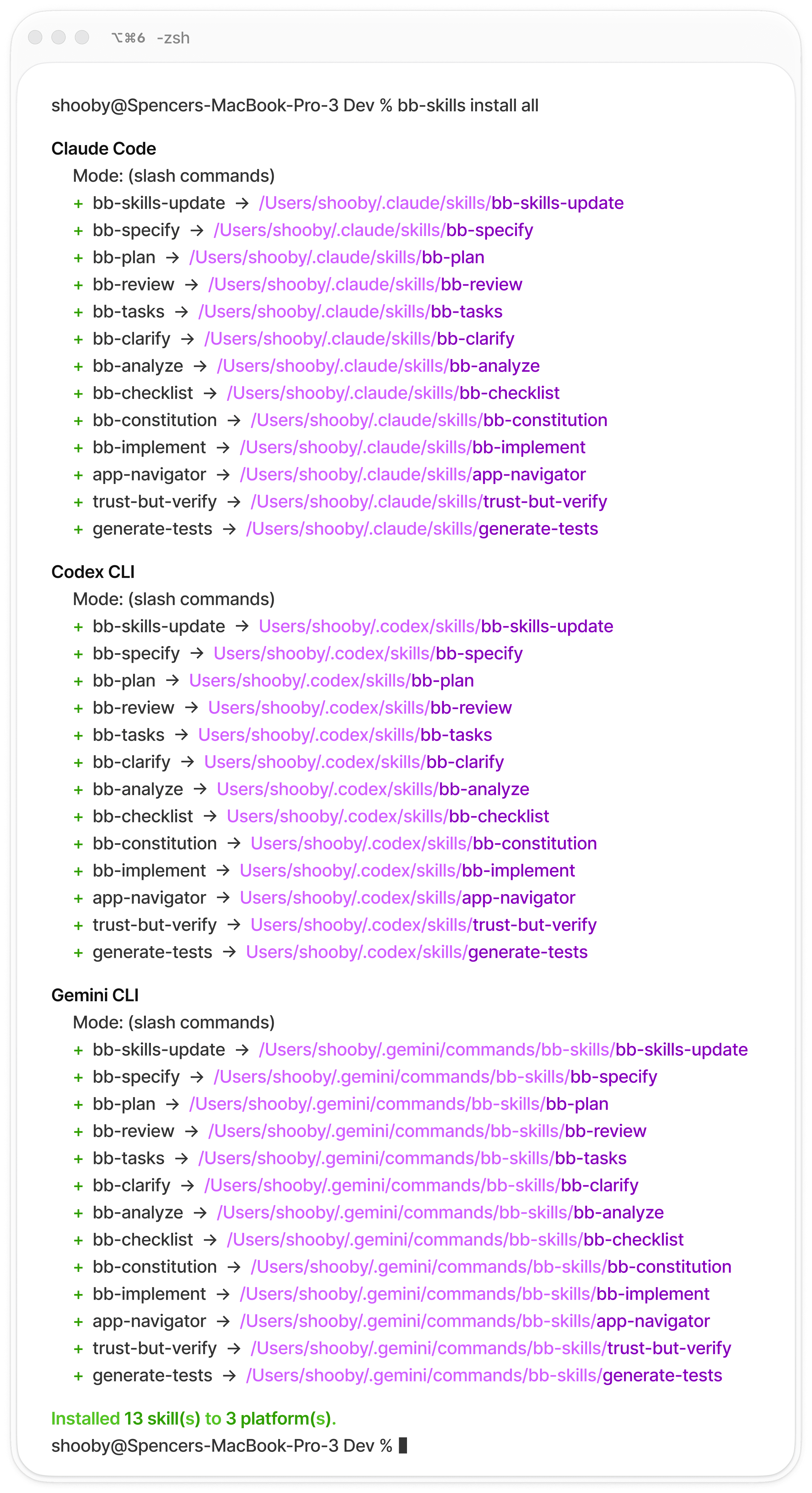
AI coding skills enriched with customer evidence. Install into your favorite AI coding agent — Claude Code, Codex, Cursor, GitHub Copilot, Gemini CLI, Windsurf, or Amazon Q. Free and open source.

Product OS
45 product-work skills across discovery, strategy, delivery, product operations, and AI product work. Vendor-neutral SKILL.md format, with BuildBetter-ready Skillset templates. Connect BuildBetter and the evidence-heavy skills pull your real customer context; without it, every workflow still runs from artifacts alone.
Quick Start
Install the CLI, then install the packs you need. Two commands.
Install with:
Free forever,
better with BuildBetter
Every skill works without a BuildBetter account.
Free
 With BuildBetter
All skills and packs


Works in 7 AI coding agents
Spec-driven development workflow
Playwright test generation
Customer evidence in specs

Feature requests pulled into plans
Pain points surfaced in reviews
Customer signals in task priorities
Works everywhere
One install, every major AI coding agent.

Claude Code
SKILL.md
Codex CLI
SKILL.md

Gemini CLI
.toml

Cursor
.mdc rules

GitHub Copilot
.instructions.md

Windsurf
.md rules

Amazon Q
.md rules
Skill Packs
Install only the packs that matter for your workflow.

Spec Workflow
Spec-driven development enriched with real customer evidence. Define requirements, plan implementation, generate tasks, review code, and ship — all grounded in what your customers actually need.
Install with:
Pulls real customer quotes and pain points from your BuildBetter knowledge base into your spec. You're not guessing what to build — you're building what customers asked for.
Carries customer evidence through to your implementation plan — every design decision traces back to what customers actually said.
Generates an actionable task list from your plan, maintaining the evidence chain from customer feedback through to individual work items.
Executes your task list in dependency order, checks off what's done, and keeps going until the feature is built according to the plan.
Runs a BuildBetter-first review of your feature. Checks usability against what customers asked for, reviews code quality, or both. Not just 'does it compile' — 'does it solve the problem customers described?'
Reads your spec and asks up to 5 targeted questions about the gaps — the stuff you forgot to define that would bite you mid-build. Answers get written back into the spec.
Consistency check across your spec, plan, and tasks. Catches when tasks don't match the plan, the plan contradicts the spec, or requirements fell through the cracks.
Generates a custom quality checklist based on your actual requirements — not a generic 'did you write tests' list, but specific checks tied to what you're building.
Sets up your project's governing principles — the rules your team agrees on that every feature should follow. All other skills reference it.

Better with BuildBetter
With a BuildBetter API key, /bb-specify pulls real customer quotes and pain points directly into your specs. Every downstream skill carries that evidence through — plans, tasks, reviews, and checklists all trace back to what customers actually said.

Testing
Browser-based verification and automated test generation. Your agent opens a real browser, walks through your app like a user, and generates Playwright tests from what it sees — not from reading your code.
Install with:
The game changer. After you build a feature, your agent opens a real browser, walks through it like a user, and tells you if the UI/UX actually makes sense. Screenshots, responsive checks, edge cases. Like a QA + UX review in 2 minutes from your terminal.
Maps your entire app — every route, page, component, and interaction pattern. Run it once and your agent knows how to navigate your app like a human would. Powers trust-but-verify and generate-tests.
Turns everything the agent learned from actually using your app into Playwright test files for CI. Not tests generated from reading your code — tests generated from clicking through your app.
Better with BuildBetter
Verification checks can reference customer expectations and acceptance criteria from BuildBetter signals — so you're not just testing if it works, but if it solves what customers described.

Core
Essential utilities that keep your skills up to date.
Install with:
Checks if there's a newer version of BB-Skills and walks you through upgrading. Auto-included with every install.
CLI Reference
Install a skill pack
Remove an installed skill pack
Update all installed packs to latest
Connect your BuildBetter account for customer evidence
List installed packs and skills
Show supported platforms and install paths
Start building with
customer evidence
Free and open source. Install in 30 seconds.
What's next
ZeroShot CLI
The terminal that runs these skills and keeps every session searchable
MCP
How a skillset reaches Claude, ChatGPT, or Cursor without cloning anything