A customer-led workflow

Deal Intelligence

Transform every sales conversation into actionable intelligence that drives deals forward. Automatically capture and analyze every customer interaction to spot buying signals, identify risks, and know exactly when and how to engage stakeholders.

Customer evidence

Brex
Looking back, we were lucky to go with BuildBetter. A lot of other tools were extremely rigid. You've genuinely delivered on the tailoring — it's never been easier to work with any company we've bought from, ever.
James WallisBrexRead their story

Know the deal. Keep the commitment.

Start with the account history and original conversation. Use that context to prepare the next step, then share what was agreed with the team delivering it.

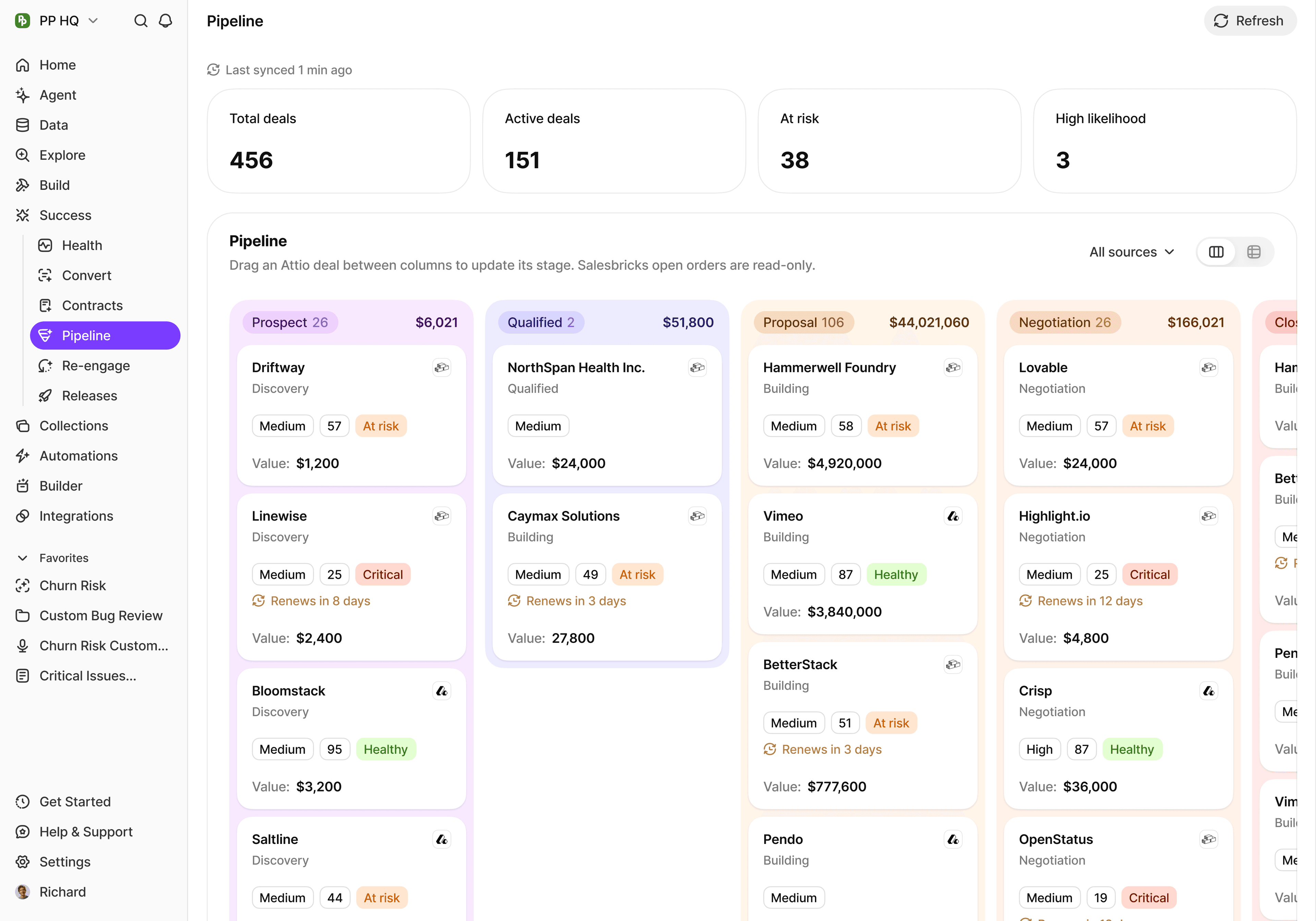
BuildBetter interface supporting Deal Intelligence
Product example. Inspect findings alongside their customer and source context.

Put it to work.

01

Automatic Signal Detection

Identify buying signals, objections, and competitive mentions in real-time across every call. BuildBetter extracts 35+ signal types — from feature requests and budget discussions to competitor mentions and action items — without any configuration.

02

Stakeholder Mapping

Track who's involved in a deal, their influence level, and how their sentiment shifts throughout the sales cycle. Know which stakeholders are engaged, which are going dark, and where you need to expand your relationships.

03

Risk Monitoring

Get proactive alerts when deals show signs of stalling, when key contacts go silent, or when competitive threats emerge. Address risks while there's still time to recover instead of discovering them at forecast review.

04

CRM Enrichment

Automatically update Salesforce with call insights, next steps, and contact activity. Eliminate manual data entry while keeping your pipeline data fresh and accurate enough to trust in forecasting.

05

AI Deal Coach

Before every call, query the AI Assistant to surface everything BuildBetter knows about the account — prior concerns raised, stakeholder sentiment, competitive mentions, and the commitments made in previous conversations.

06

Competitive Intelligence

When a competitor is mentioned, BuildBetter flags it instantly and surfaces relevant battle card content. Track which competitors appear most frequently and analyze the patterns behind your wins and losses against each one.

A practical place to start.

Phase 1 — Foundation (Week 1)
  1. Set up automatic call recording

    Enable the BuildBetter bot for Zoom, Teams, or Google Meet. Configure recording rules to auto-join all external calls so 100% of prospect conversations are captured.

  2. Understand the signal types

    Review the 35+ signal types BuildBetter extracts automatically — objections, competitive mentions, buying signals, action items, and more. Filter your Signals view by type to see what's already been captured.

  3. Connect your CRM

    Authenticate with Salesforce, map BuildBetter fields to Opportunity fields, and enable bi-directional sync. Test with a real call to confirm contacts and activities sync correctly.

Phase 2 — Optimization (Weeks 2–3)
  1. Build your deal intelligence dashboard

    Use the Clustering section to create a real-time view of deal activity — signal volume over time, sentiment trends, recent objections, and key customer quotes filtered by company and signal type.

  2. Automate call organization with workflows

    Create workflows to auto-file sales calls into folders, tag competitive conversations, and send call summaries to your CRM or Slack. Single-action automations that run without manual intervention.

  3. Organize deal rooms with collections

    Create per-deal collections grouping all related calls, documents, and competitive intelligence. Share curated views with internal account teams and external champions as needed.

Phase 3 — Advanced Techniques (Week 4+)
  1. Master multi-threading

    Import all contacts from Salesforce and track engagement frequency and sentiment by person. Use the AI Assistant to surface which stakeholders are underengaged and need attention.

  2. Build a competitive intelligence system

    Track every competitor mention across all calls, generate battle cards from real objections heard in lost deals, and run quarterly win/loss analysis to update your sales playbooks.

  3. Improve forecast accuracy with sentiment data

    Track sentiment trends throughout deal cycles, correlate them with historical close rates, and flag deals showing declining engagement before they slip from your committed forecast.

Keep the workflow useful
  • Apply the 24-hour rule: always follow up within 24 hours of a call with a summary and clear next steps.
  • Look for signal stacking — multiple positive signals in one call (budget + timeline + urgency) is a strong closing indicator.
  • Run a pre-call ritual: query the AI Assistant before every call to understand what's happened in the account so you never go in cold.
  • When competitors are mentioned, use it as an opportunity to surface what the prospect has asked about that the competitor doesn't offer.
  • Review your signals dashboard every Monday to start the week knowing which deals need attention.
  • End each week by asking Chat to summarize key sales insights and sharing them with your team.

Keep exploring.

Ready to turn every conversation into a competitive advantage?

Bring a real question. We’ll walk through the context and the next step together.

Book a demo