

01
Automatic Call Recording
Connect your calendar once and BuildBetter auto-joins every customer call as a silent participant—no manual setup required for each session.

A customer-led workflow
Turn your first customer conversations into actionable insights in 30 minutes—no experience needed
Customer evidence

“BuildBetter is becoming our go-to tool for strategic planning.”
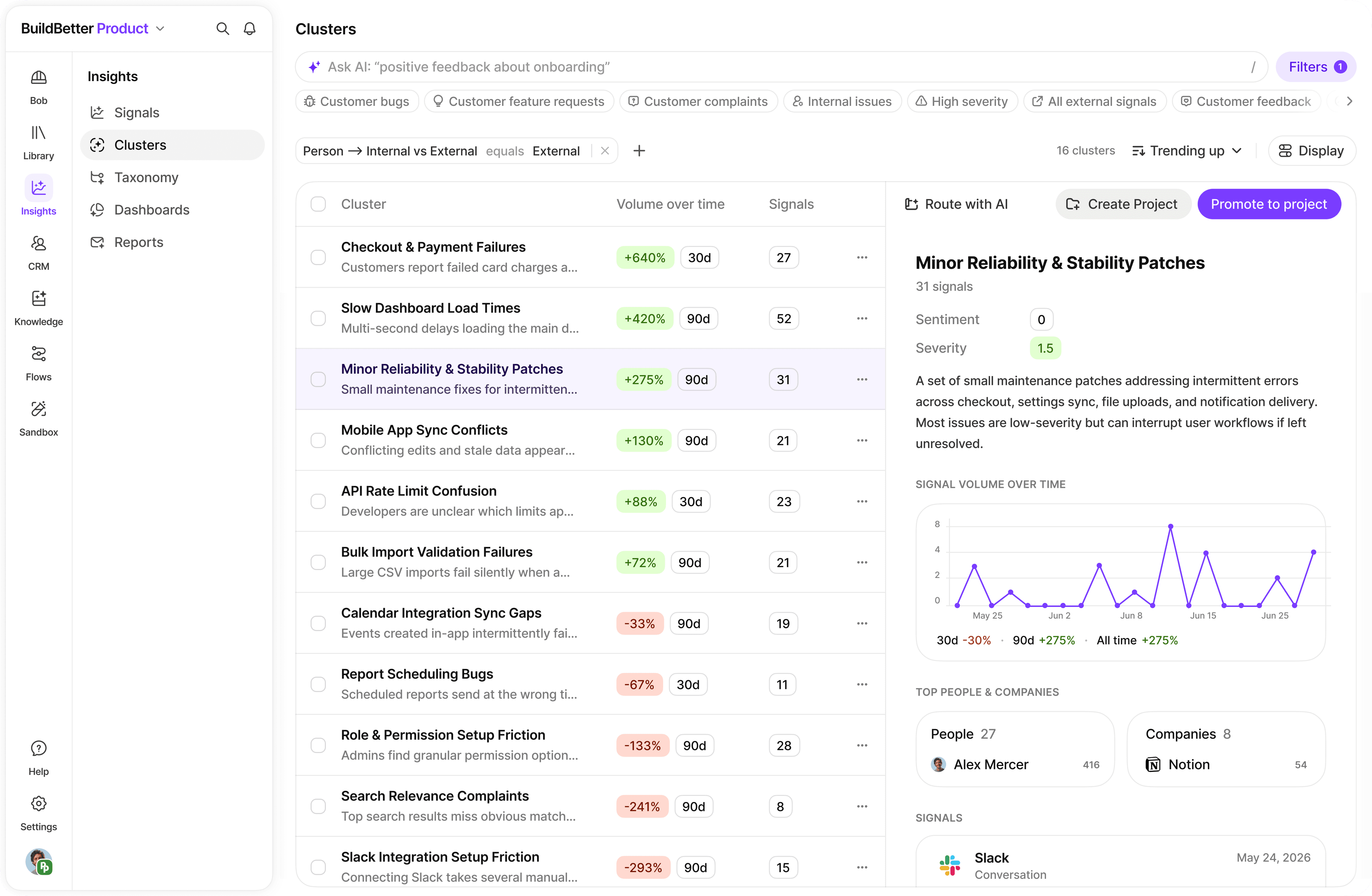
Bring customer feedback together, inspect the source, and carry the evidence into the decision. The example interface below shows how your team can work with that context.
01
Connect your calendar once and BuildBetter auto-joins every customer call as a silent participant—no manual setup required for each session.
02
Every call is automatically transcribed and broken into structured signals: problems, feature requests, complaints, praise, and questions—with exact timestamps and quotes.
03
View all signals from all calls in one place and filter by type, severity, or topic. Patterns that would take hours to spot manually become obvious in minutes.
04
Ask natural language questions about your calls ('What are the top 3 problems?') and generate shareable research summaries in one click.
Go to Settings > Integrations, connect Google Calendar or Outlook, then create a bot recording rule filtering on 'customer' or 'user interview' in the event title. BuildBetter will auto-join matching calls.
For calls not on your calendar, click Upload > Join Call, paste the Zoom/Meet/Teams link, and the BuildBetter bot will appear as a participant.
Have existing recordings? Click Upload, drag-and-drop your MP3, MP4, WAV, M4A, or MOV files, add a title and date, and BuildBetter will transcribe and analyze them (10–30 minutes per hour of recording).
Go to Calls and Recordings, click your first call, and review the full transcript. Scroll to the Signals section to see everything automatically extracted.
Each signal shows its type (Problem, Feature Request, Praise, Question), a plain-English summary, sentiment score, severity rating, and a timestamped quote. Click any timestamp to jump to that moment in the recording.
Click Signals in the left navigation to see every signal from every call in one feed. Filter by signal type to focus on problems or feature requests.
Go to Clustering, click Customize Dashboard, and add two bar charts: one for top problems grouped by theme, and one for most-requested features. Save and share the URL with your team in Slack.
Open Chat, ask 'What are the top 3 customer problems based on my recent calls?', follow up with 'What should I build first?', then click Generate > Generate Document to create a shareable User Research Summary.
Bring a real question. We’ll walk through the context and the next step together.
Book a demo